
ClearSync 2min. Demo:
Example ClearSync Stripe Subscription record:
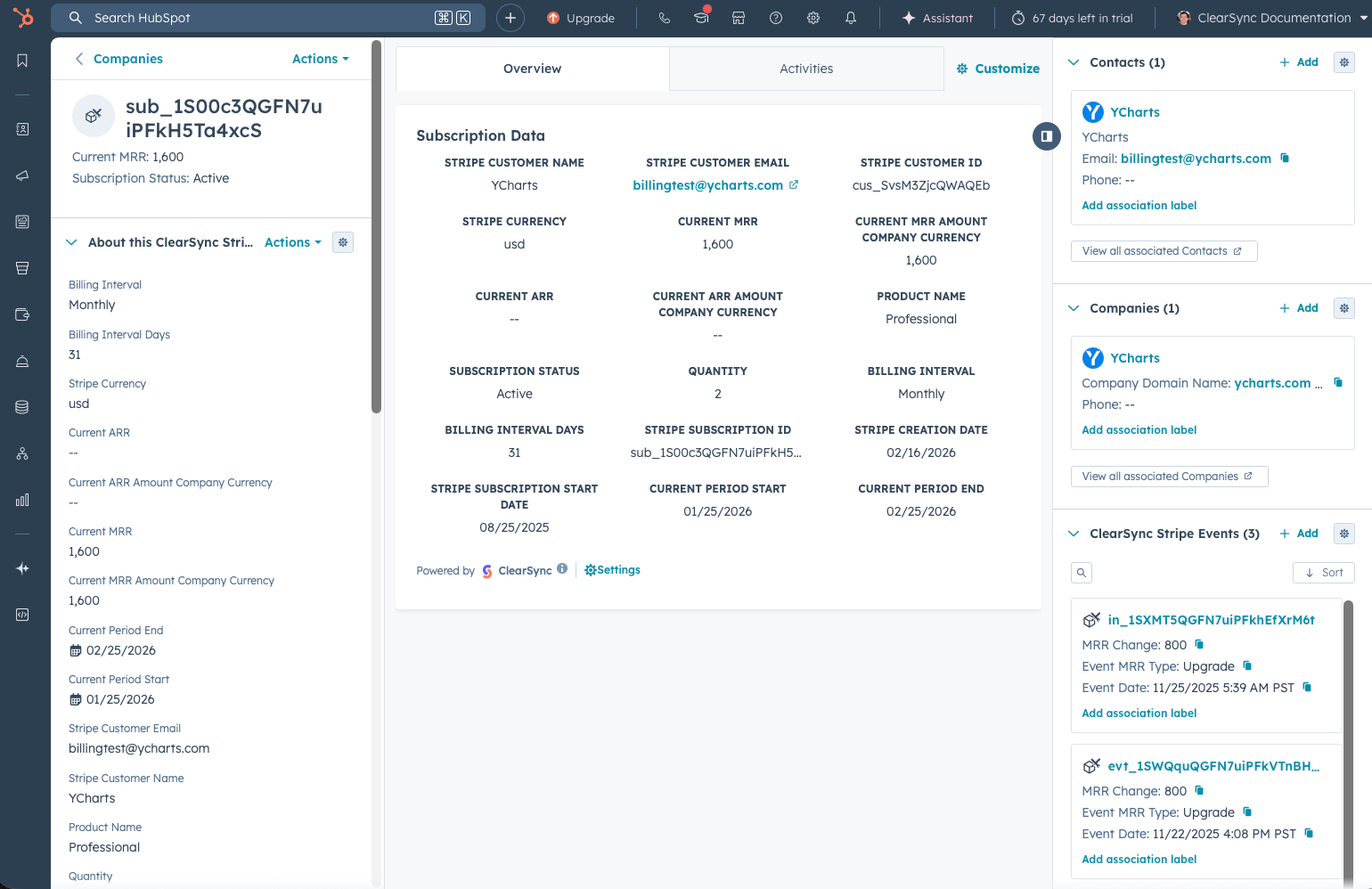
- ⬆️ On this example CLS Stripe Subscription record, we can see that:
- The Subscription was automatically related to both a Contact and Company in HubSpot
- The current MRR for the Subscription is $1,600
- The Subscription started on 8/25/25
- The Product that the customer has is Professional with a Quantity of 2
- The customer’s next renewal date is 2/25/26
Example ClearSync Stripe Event record:
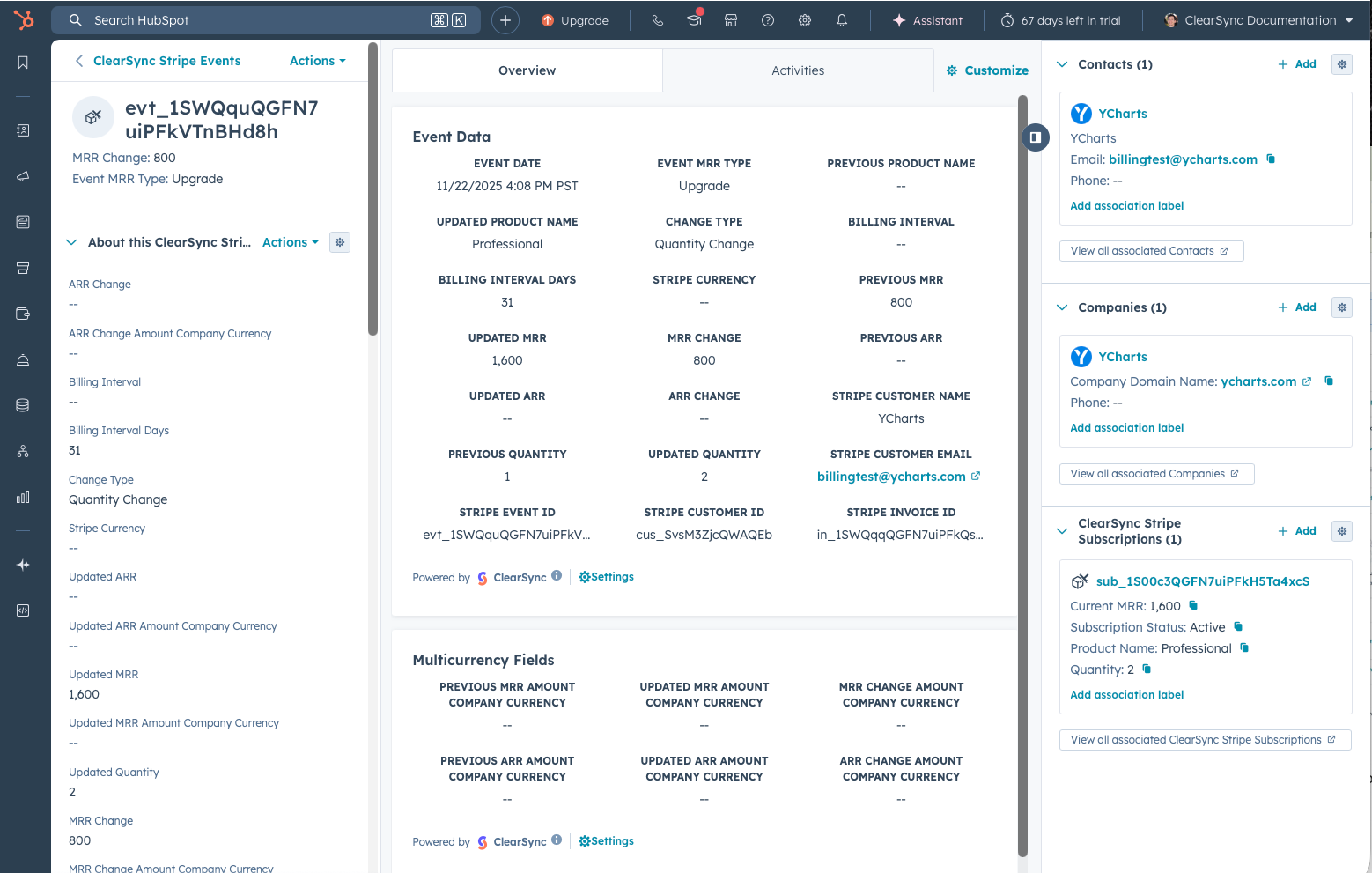
- ⬆️ On this example ClearSync Stripe Event record, we can see that:
- The Event was automatically related to both a Contact and Company in HubSpot, as well as to the Subscription
- The Event Date was 11/22/25, which is when the MRR change was effective
- We recognized +$800 MRR for our example Subscription when it was upgraded, which is categorized as “Upgrade” MRR via the field Event MRR Status
- Change detail fields are shown for:
- Previous Product Name & Updated Product Name
- Previous MRR & Updated MRR
- Previous Quantity & Updated Quantity
- If multi-currency is enabled in your HubSpot account, the Multicurrency Fields section will populate to give you previous MRR, updated MRR, and MRR change in your HubSpot default currency.
