
ClearSync’s App Objects in HubSpot
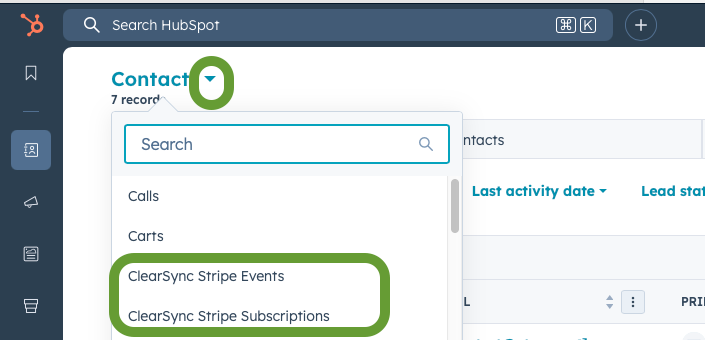
When you install ClearSync, two App Objects are created in HubSpot.
- Although they aren’t in the Navigation, you can find them in the Object dropdown (it might take a few minutes for them to show up after installing):
HubSpot App Object | Purpose | Primary Use Cases |
ClearSync Stripe Subscriptions | Tells us the Current MRR & Products for a given subscriber as of the moment you’re looking at a record or running a report. | As of now reporting and customer insights (e.g. Current MRR, Quantity, Products) |
ClearSync Stripe Events | Represents a record of every change to a Subscription’s MRR, giving us insight into how MRR changes over time. | Subscription revenue events for MRR reporting over time and to trigger HubSpot Workflows |