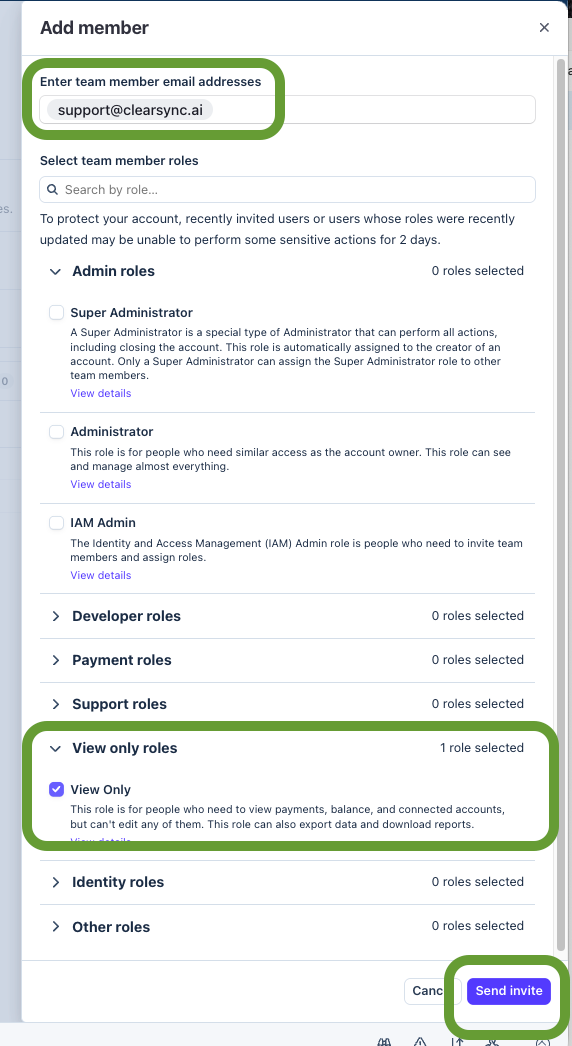
Although not required for installation, you can create a temporary free read-only Stripe UI User for the ClearSync team to help you with setup and troubleshooting:
Step 1:
- Go to Settings (the gear icon at the top of Stripe) > Team and security
Step 2:
- Click Add Member
- In “Enter team member email address” add support@clearsync.ai
- Only full-time ClearSync employees will have access
- Credentials for this user are stored securely in 1Password
Step 3:
- Select “View Only Roles”
- Check the “View Only” checkbox to limit permissions
- Click Send Invites