
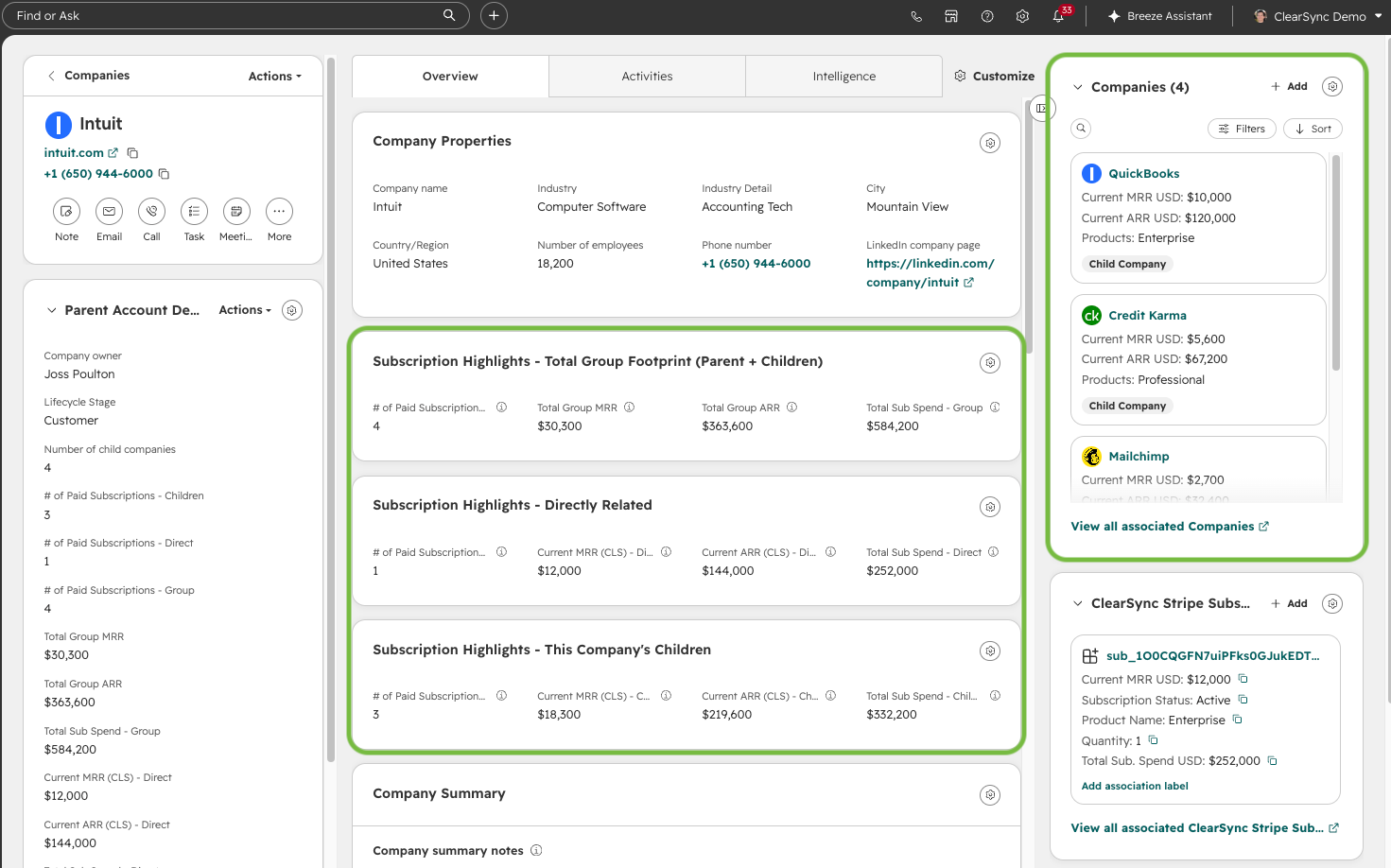
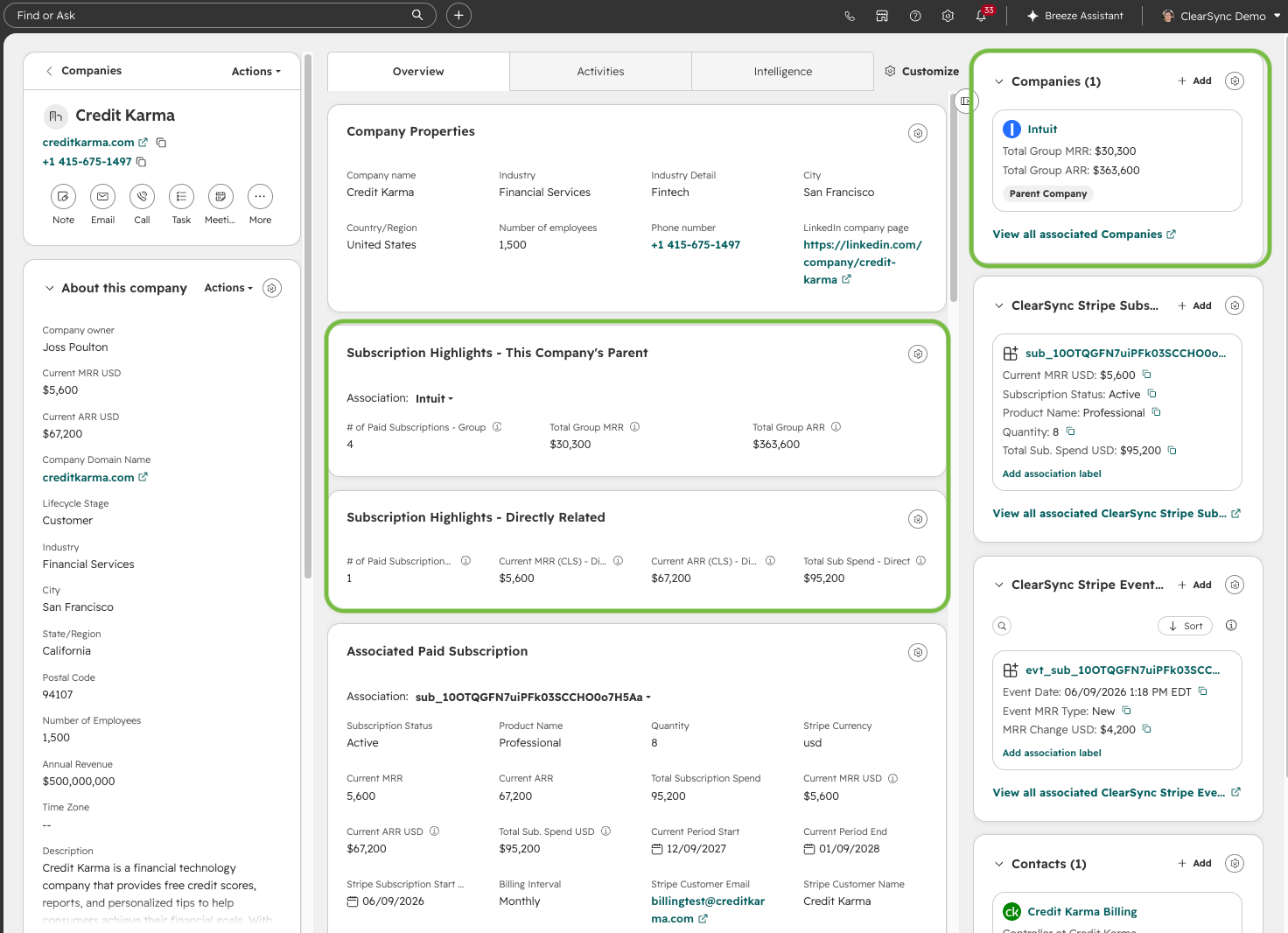
If you use HubSpot's Parent/Child Company associations, you can roll ClearSync Subscription data up from child companies to the parent. This lets you see a customer's total group footprint across the Parent Company and its Children in one place, while still keeping each entity's own subscriptions separate.
Example HubSpot Parent Company with Stripe Subscription Info
Showing group, direct, and children rollups:
Example HubSpot Child Company with Stripe Subscription Info
Showing its own subscriptions plus its parent's group totals:
When Parent/Child rollups are useful:
- Multi-entity Stripe billing: separately billed subscriptions per business unit, brand, franchise, property, or region
- Group-level renewal and risk visibility: one child Company churning could be easy to miss if you only consider the value of individual Companies
- Account planning: knowing whether a $120K child account is 50% or 3% of the overall relationship changes how you treat it
- Prerequisite: Parent/Child associations must already be set on your HubSpot Company records. ClearSync doesn't create these associations; it populates the subscription data that rolls up through them.
Suggested Fields to create on the HubSpot Company object:
Field Name | Details |
Current MRR - Children
+Same concept for Current ARR | Rollup: sums Current MRR of associated HubSpot Companies that have the association label “Child Company” |
Current MRR - Direct
+Same concept for Current ARR | Rollup: sums Current MRR of all directly associated ClearSync Stripe Subscriptions |
Total Group MRR
+Same concept for Total Group ARR | Calculation: Sums the Current MRR of the previous two fields (Current MRR - Children and Current MRR - Direct). |
# of Paid Subscriptions - Direct | Rollup: Counts the ClearSync Stripe Subscriptions (use the Record ID as the associated record property) where Current MRR > 0. |
# of Paid Subscriptions - Children | Rollup: Sums the value in the field “# of Paid Subscriptions - Direct” on associated Companies where the association label = “Child Company” |
# of Paid Subscriptions - Group | Calculation: Sums the previous two fields (# of Paid Subscriptions - Direct and # of Paid Subscriptions - Children) |
Total Subscription Spend - Direct | Rollup: Sums the value in Total Subscription Spend on all directly associated ClearSync Stripe Subscription records. |
Total Subscription Spend - Children | Rollup: Sums the value in Total Subscription Spend - Direct on all associated HubSpot Companies where the association label = “Child Company” |
Total Subscription Spend - Group | Calculation: Sums the previous two fields (Total Subscription Spend - Direct and Total Subscription Spend - Children). |
Add Conditional Cards to your Company Layout:
HubSpot lets you show a card only when a condition is met, so Parents and Children can share one Layout without either seeing empty cards.
Navigate to any Company record → Customize → edit your Layout, then add each card and set its display condition either using the “Parent Account” field is known or the Number of Children field being > 0.