
Add Subscription info directly on your Contact or Company Layout, add an ‘Associated Paid Subscription’ Section Card:
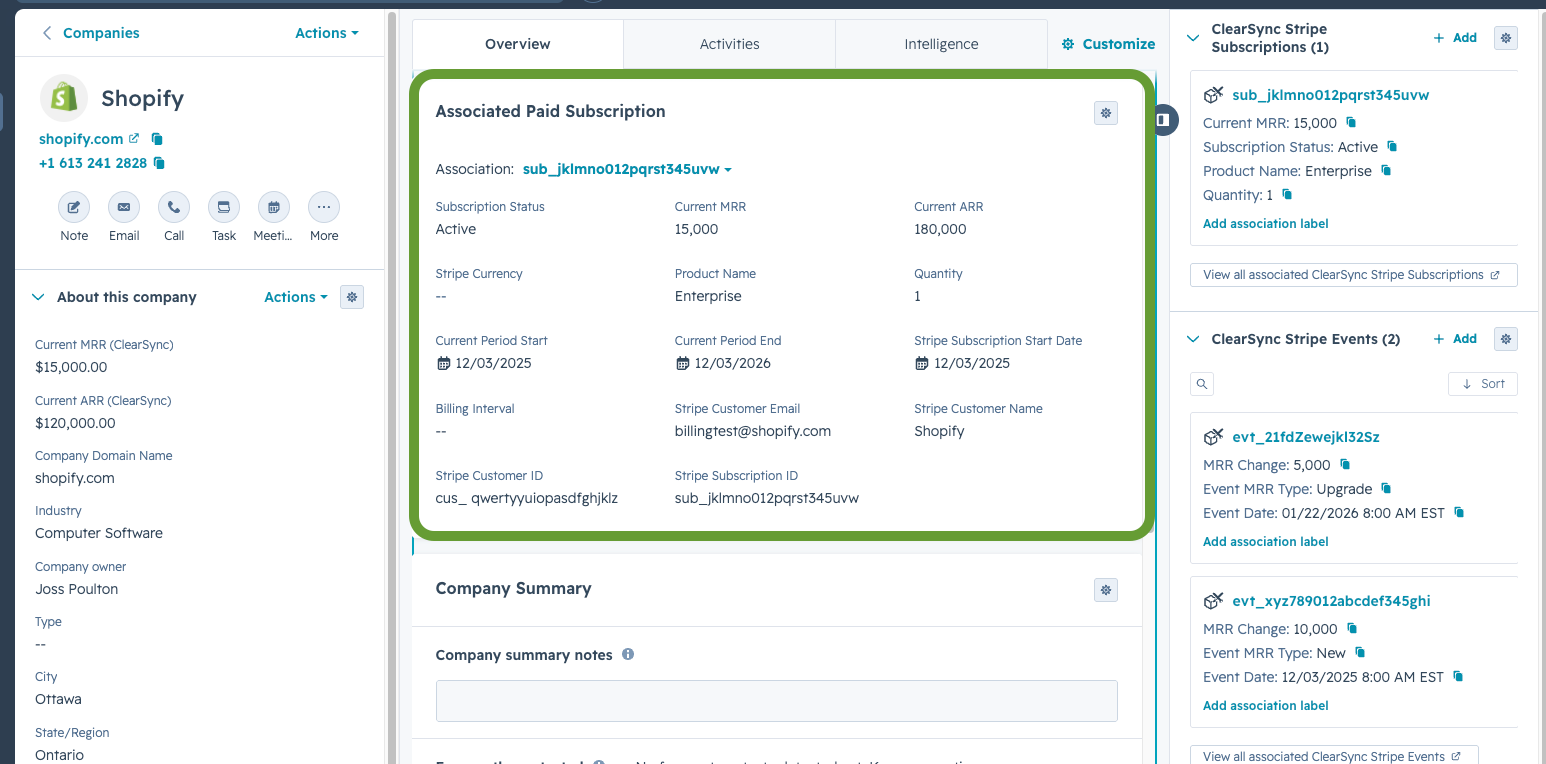
- (1) Go to any Company or Contact record, click Customize in the top-right, and edit your Layout(s).
- (2) Add an App Card to the center panel by placing your cursor in between existing App Cards and click “Add Card”. Select the type “Association Property List”
- (3) Name the card Associated Paid Subscription and:
- Set the associated Object Type to ClearSync Stripe Subscription
- Set “Association List Filters” at the bottom to Current MRR is greater than 0.
- Set the Sort by Current MRR, Descending
(4) 👉 Suggested Properties to add, in order:
- (5) Save the card, and then optionally set it to show conditionally:
- For example, click the three dots next to the card you just added and “Set Conditional Logic” and set it to only show for active paid subscriptions if your rollup field Current MRR (CLS) > 0 or if you want it to also show a canceled subscription, Number of Paid MRR Events > 0
Add Most Recent Event info directly on your Contact or Company Layout, add an ‘Most Recent Associated MRR Event’ Section Card:
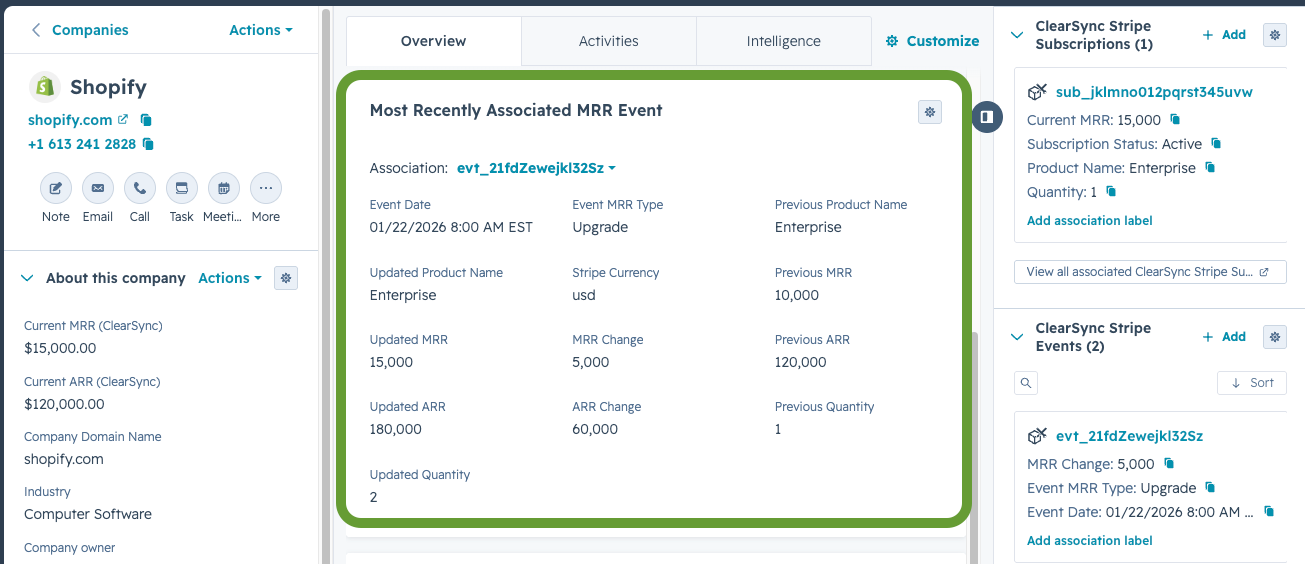
- (1) Go to any Company or Contact record, click Customize in the top-right, and edit your Layout(s).
- (2) Add an App Card to the center panel by placing your cursor in between existing App Cards and click “Add Card”. Select the type “Association Property List”
- (3) Name the card Most Recently Associated MRR Event and:
- Set the associated Object Type to ClearSync Stripe Event
- Set “Association List Filters” at the bottom to MRR Change is not equal to 0.
- Set the Sort by Event Date, Descending
(4) 👉 Suggested Properties to add, in order:
- (5) Save the card, and then optionally set it to show conditionally:
- For example, click the three dots next to the card you just added and “Set Conditional Logic” and set it to only show for active paid subscriptions if your rollup field Current MRR (CLS) > 0 or if you want it to also show a canceled subscription, Number of Paid MRR Events > 0