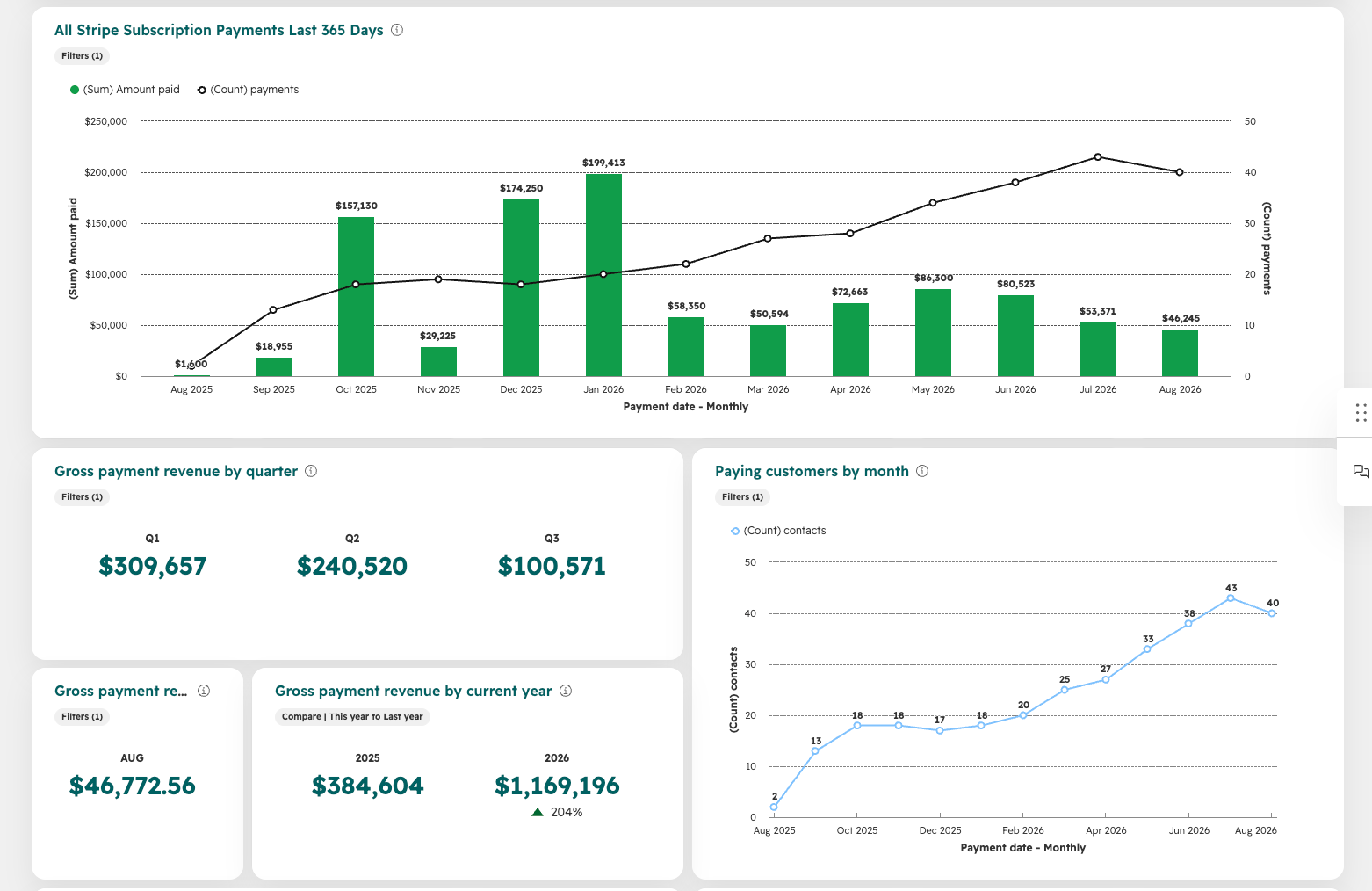
Stripe Subscription Payments KPIs for your Stripe Dashboard:
To create this report highlighting Stripe Payment KPIs in HubSpot:
Step 1: Go to Reporting > Dashboards > click Create Dashboard
Step 2: Select Gross Payment Revenue
Step 3: Select the following reports only:
Gross payment revenue by current year
Gross payment revenue by quarter
Gross payment revenue by current month
Paying customers by month
Step 4: Click Next > Create Dashboard
Step 5: Add the reports that were auto-created to your existing ClearSync Stripe Dashboard if you have one, and then optionally delete the “Gross Payment Revenue” Dashboard that was automatically generated
Step 6 (Optional): Click into any Reports showing decimal places > Edit in report builder
In Configure > hover over the amount paid field and click the pencil icon
Set format to Currency and Decimal Places to 0
Under “Style,” you might also change the color of the bars (e.g., to green representing payments)