
ClearSync Stripe Event app object records are created in HubSpot for every change to a Stripe Subscription’s MRR, making it easy to see the net change in MRR for a period of time (the sum of the MRR change from new sale, upgrade, downgrade, and churn events).
Net Stripe MRR Change by Month, This Year & Last Year:
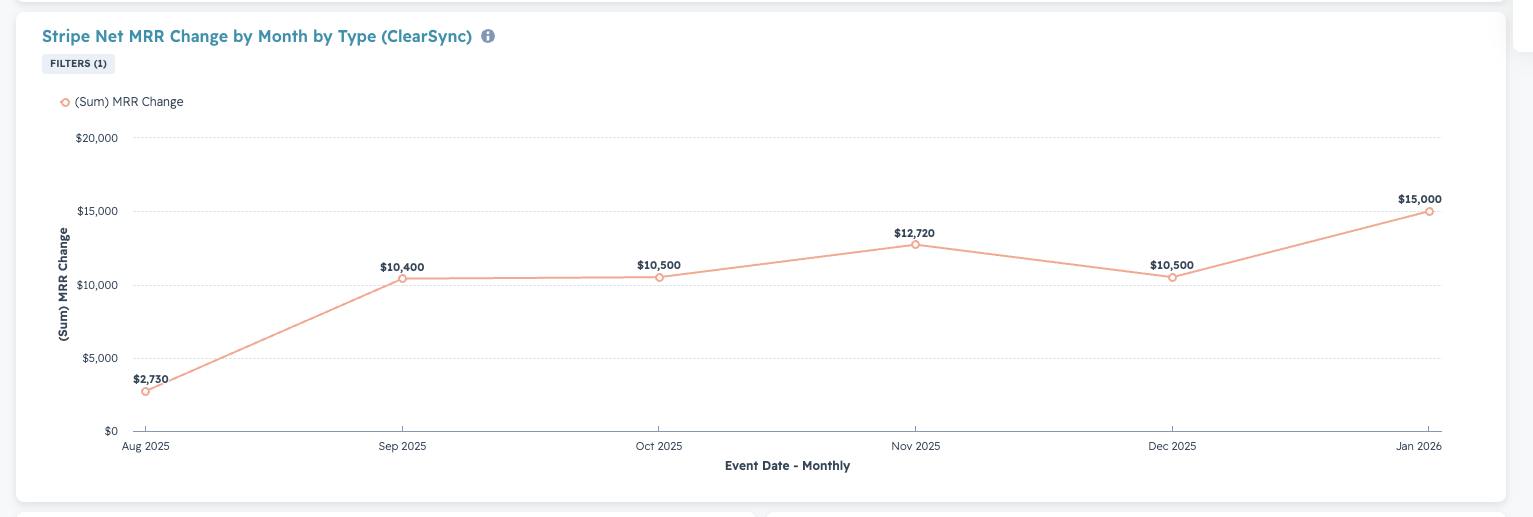
To create the Net Stripe MRR Change by Month Report in HubSpot
- Step 1: Go to Reports > Create Reports
- Step 2: Create a Custom Report > set the Primary Data Source to ClearSync Stripe Events
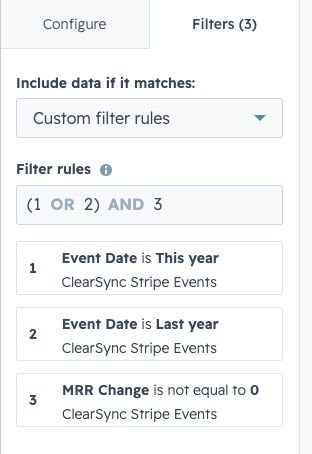
- Step 3: Click Filters and add these three filters:
- Event Date is this year
- Event Date is last year
- MRR Change is not equal to 0
- Step 4: In the Filters menu, change the “Include data if it matches” dropdown to “Custom filter rules” and type in: (1 OR 2) AND 3. Your report filters should now look like this:
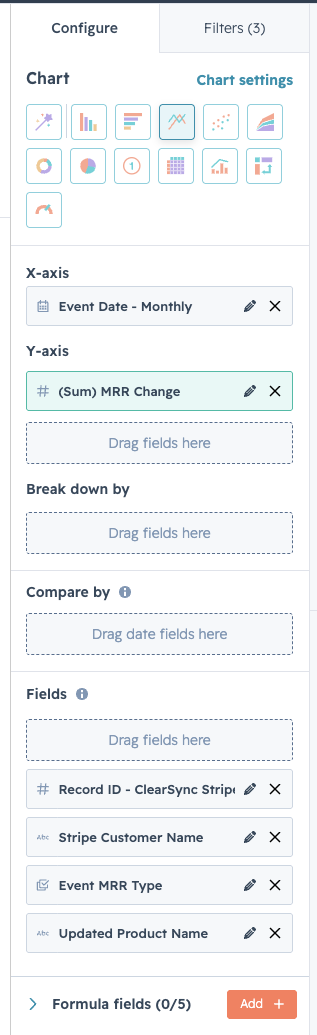
- Step 4: Click Configure, then configure the report:
- Select the Line icon under “Chart”
- Drag the field Event Date into the X-axis
- Drag the field MRR Change into the Y-axis
- Or, if you bill in multi-currency, use “MRR Change Amount Company Currency”
🏁 Save the report and optionally add it to a Dashboard
- Suggested Report Name: Stripe Net MRR Change by Month by Type (ClearSync)